Dump your day.
Get it back, planned.
One message becomes a time-blocked day: tasks, habits, reminders, timeboxes. Every plan is reviewed by you before a single block is saved — and one Undo reverts it all.
Free for the core · no card · web & iPhone
One message in.
A reviewed plan out.
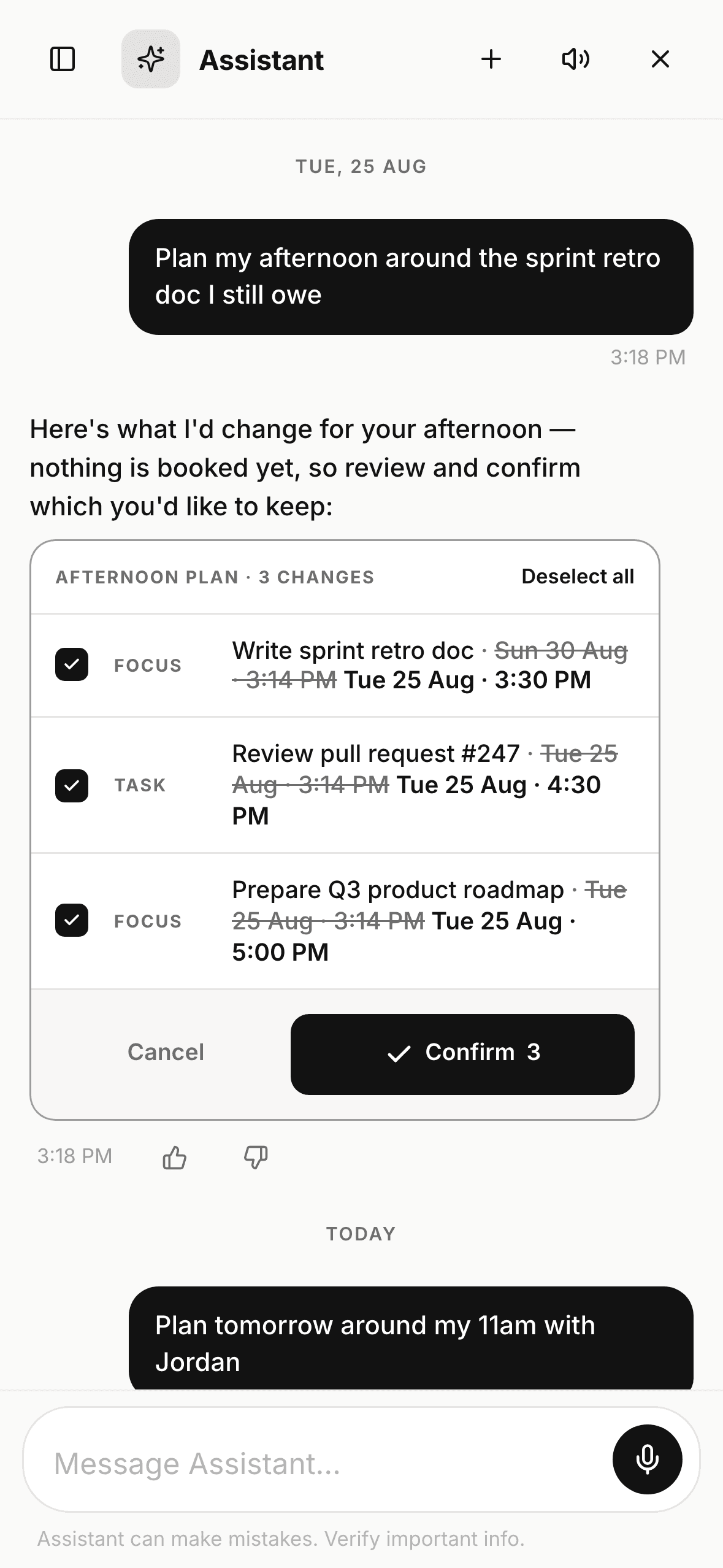
1/3Say it in one message
A timeline you can actually read.
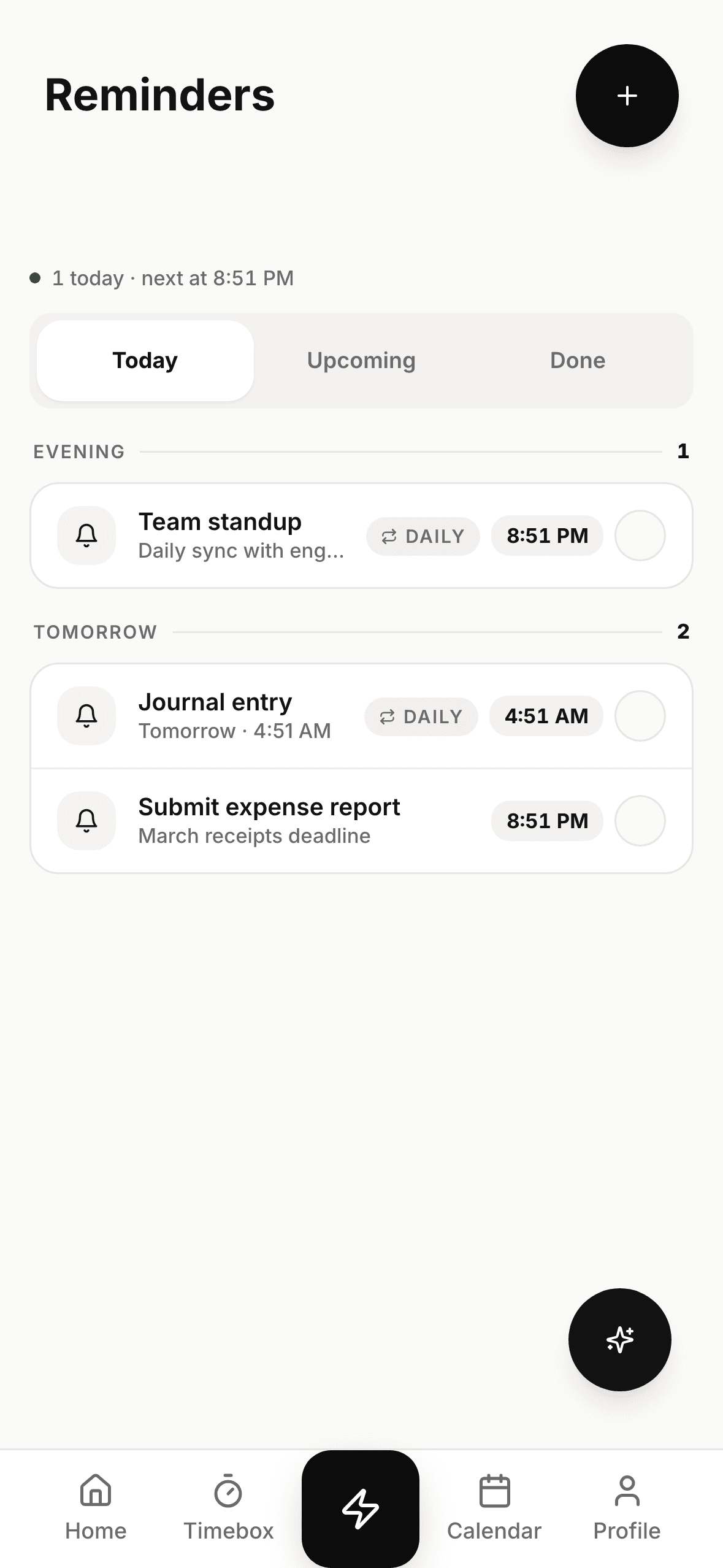
One column, time order — no overlapping slivers. Conflicts are named, not drawn, and the fix is one tap. Free stretches become an invitation, not scroll distance.
Events, timeboxes, habits, reminders and tasks share one rail and one card language.
“15-min overlap. Sam is free at 1:30 — move the 1:1?” Confirm moves it on your calendar only.
Open stretches render as a dashed slot with a one-tap timebox.
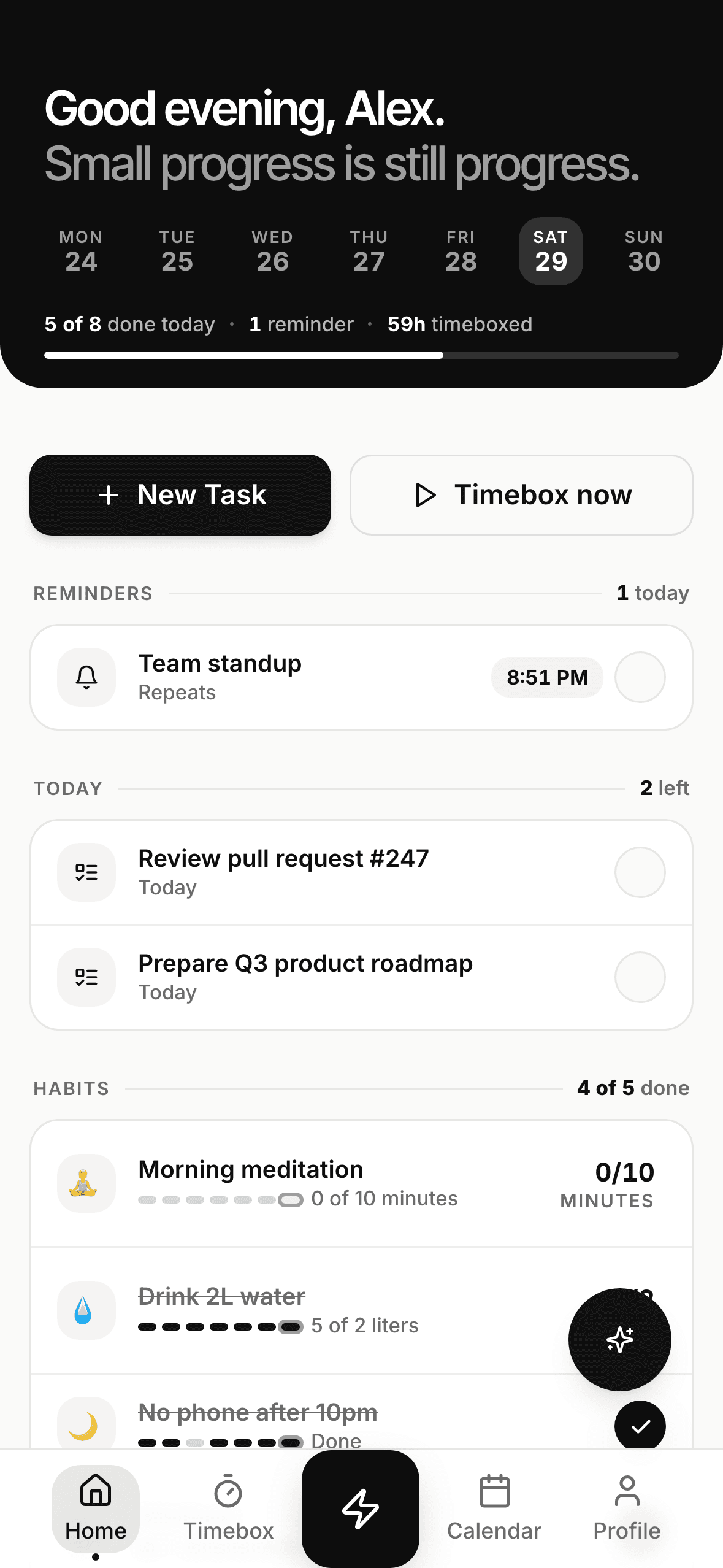
1/3Start on Home
One tap to log.
A receipt to prove it.
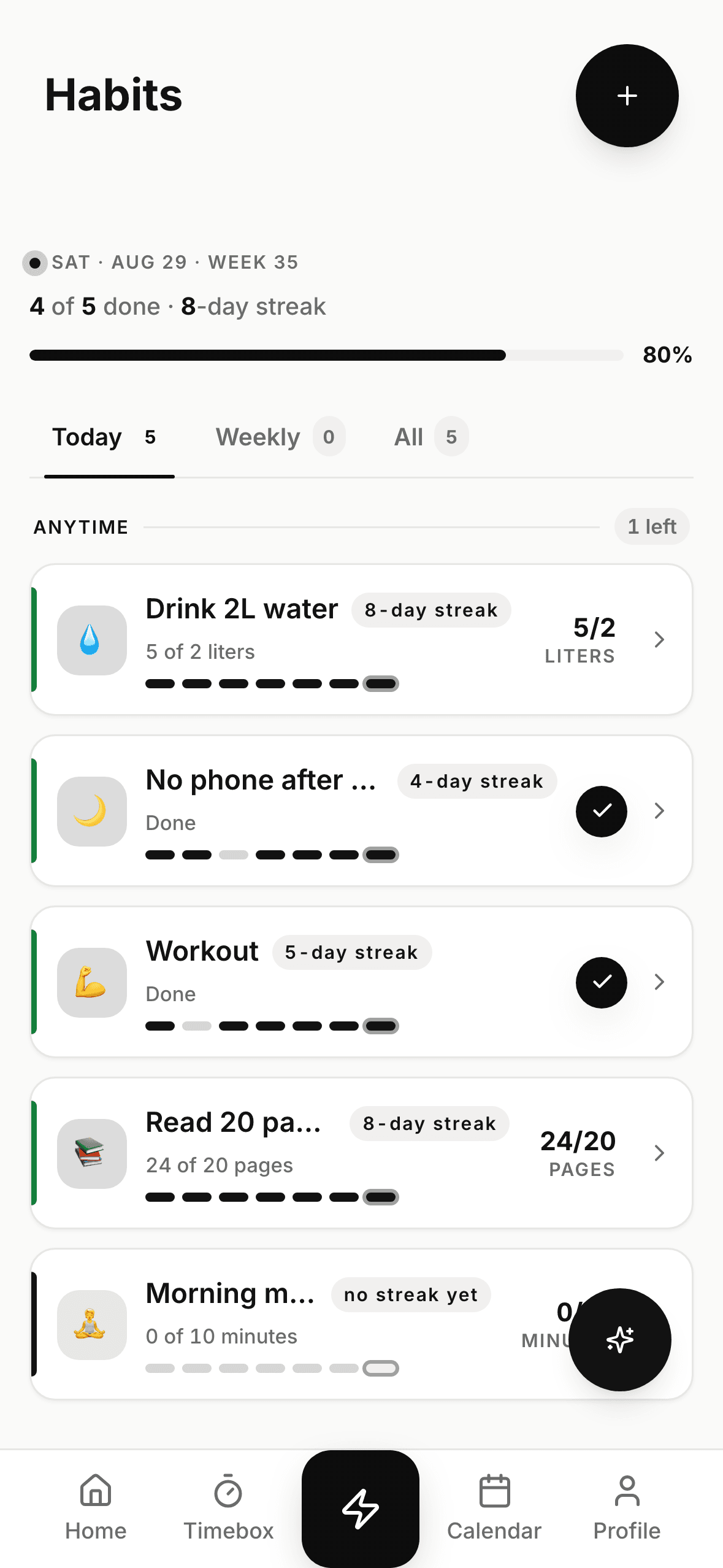
1/4Today's habits, one tap each
One system, four screens.
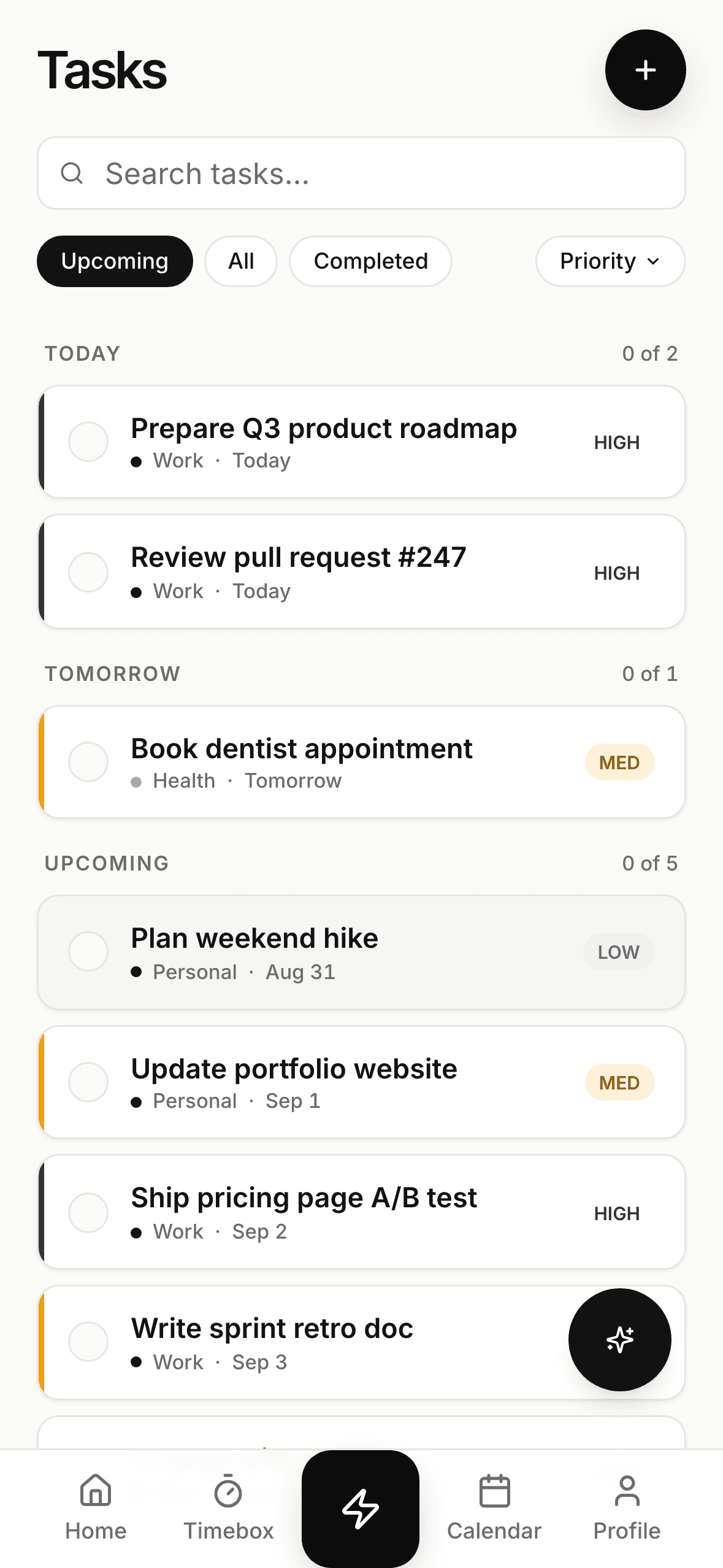
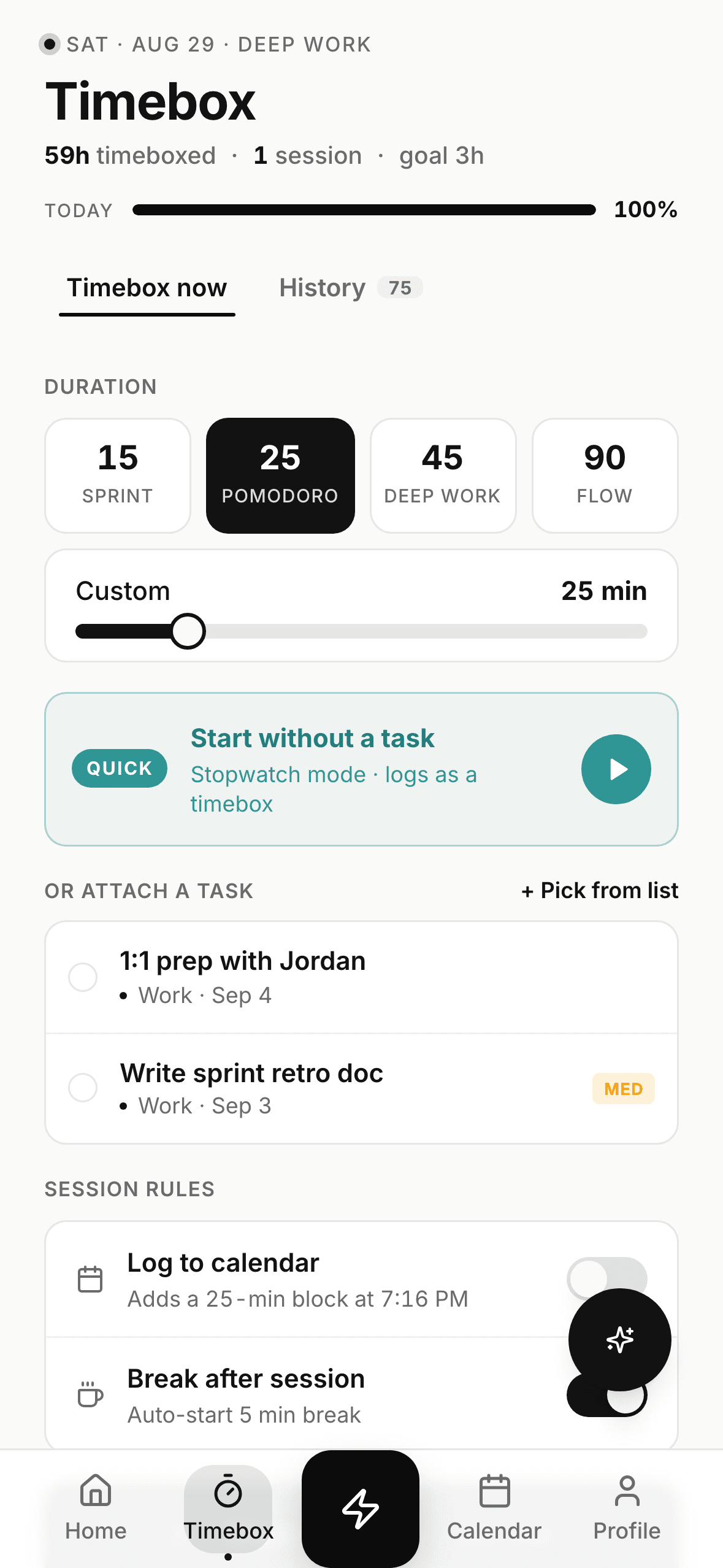
Home, reminders, tasks and timeboxes share one row language — learn it once on Home and you know the whole app.
Your other tools are next.
ActionList speaks the Model Context Protocol, so the assistant can reach the tools you already use. A sneak peek at what's coming — none of these ship yet.
To-do list, habit tracker, Pomodoro timer and AI planner — one system.
ActionList is a productivity app for people who run their day from a phone: tasks, habits, reminders, calendar and timeboxing share one row language, and the assistant plans across all of them.
A to-do list that plans the day, not just holds it
Tasks with due dates, priorities and a replan for when the day slips — on web and iPhone, synced.
AI to-do listHabit tracking with streaks, freezes and any-day fixes
Daily, weekly and counted habits, one-tap logging, and a calendar you can backfill without losing the streak.
Habit trackerTimeboxing with Pomodoro, Sprint, Deep Work and Flow presets
Start a timebox from any task and log it against a habit. With Pro on iPhone, keep it visible in the Dynamic Island.
Pomodoro timerAn AI assistant that turns a brain-dump into a time-blocked day
Say it in plain English; review the plan before anything is saved; one Undo reverts it all.
AI plannerADHD-friendly by design: one thing at a time
Focus Mode, calm themes and gentle reminders that many people with ADHD find easier to stick with.
ADHD-friendly to-do listReminders that leave a receipt, on one readable timeline
Time-of-day reminders, repeating rules, and a day view where tasks, habits and events share one column.
Day timelineFree where it counts.
The task–habit–reminder system is free. Pro removes the daily AI limit and adds personalization, analytics, and iPhone Live Activities.
Everything a human needs to stay on top of life.
- Unlimited tasks & habits
- AI instructions & learnings
- Timeboxing, all presets
- Simplified view & custom themes
- AI Assistant — 12 messages / day
Unlimited ActionList AI and productivity analytics — the full toolkit. Start with a 7-day free trial. Terms apply.
- Everything in Free
- ActionList AI Assistant — unlimited messages
- Productivity analytics
- Dynamic Island & Live Activities (iPhone)
Fair questions.
Does the assistant change my calendar on its own?
Never. Every plan and every fix arrives pending — you see before → after, uncheck what you don't want, and nothing is written until you hit Confirm. One Undo reverts the whole batch after.
Do reminders and invites go to other people?
No. ActionList only ever moves blocks on your own calendar — no invites, no notifications to anyone else. When a fix touches a meeting, the plan says exactly that in the row.
What happens when I miss a day?
Nothing punishing. Missed habits are fixable from the calendar — late entries are simply marked as added later. Missed repeating reminders never pile up; the next occurrence carries on and the miss shows in your history.
Do I need the AI to use the app?
No. Tasks, habits, reminders and the day timeline are a complete system on the Free plan. The assistant is a shortcut, not a dependency — everything it does, you can do by hand.
Where does my data live?
Your data is yours: encrypted in transit and at rest, exportable any time from Settings, and deletable in one tap. The assistant reads only what it needs to plan the day you asked about.
Is ActionList free to use?
Yes. ActionList has a free plan — tasks, habits, focus timer, reminders, and 12 AI assistant messages per day. Upgrade to Pro for unlimited ActionList AI within reasonable-use productivity workflows. Terms apply. No credit card required to get started. Free-plan limits may evolve over time as demand and costs change.
Does ActionList work on mobile devices (iOS & Android)?
ActionList works in modern web browsers and has a native iPhone app. A native Android app is still in development; Android users can use the mobile web app today.
How does ActionList compare to Todoist, Notion, or TickTick?
ActionList bundles task management, habit tracking, and a focus timer into one app so you are not juggling multiple tools. It is a newer app, so features are still being added — the tradeoff is a more focused experience with an AI assistant built in.
Talk to a human.
Stuck, confused, or found a bug? We answer within a day.
support@actionlist.io →The roadmap is argued in public. Tell us what's missing.
info@actionlist.io →Kits, screenshots and a founder who answers email.
Press kit →Tonight's brain-dump is
tomorrow's plan.
Two minutes to set up. The first plan is on us.